
Ping System
More actions
Pings allow contestants to communicate without voice chat by marking locations, enemies, objectives, and other contextual information.
Overview
The ping system enables non-verbal communication by allowing contestants to mark locations, threats, and objectives in real time. Pings can be issued as quick markers, cautionary alerts, or selected from radial communication wheels that provide both tactical commands and general callouts.
This system enables rapid coordination during combat and objective play, particularly in situations where voice communication is unavailable or impractical.
Basic Pings
Pressing the Ping keybind without holding it will issue a quick contextual ping based on input timing and aiming context.
- Pressing once will issue a go here directional ping.
- Pressing twice in quick succession will issue a red caution ping, or alert teammates to an enemy contestant if pinging them directly. Caution pins directed at enemies will follow them while the opponent remains within your field of view.
Pinging Contextually
Ping Wheel

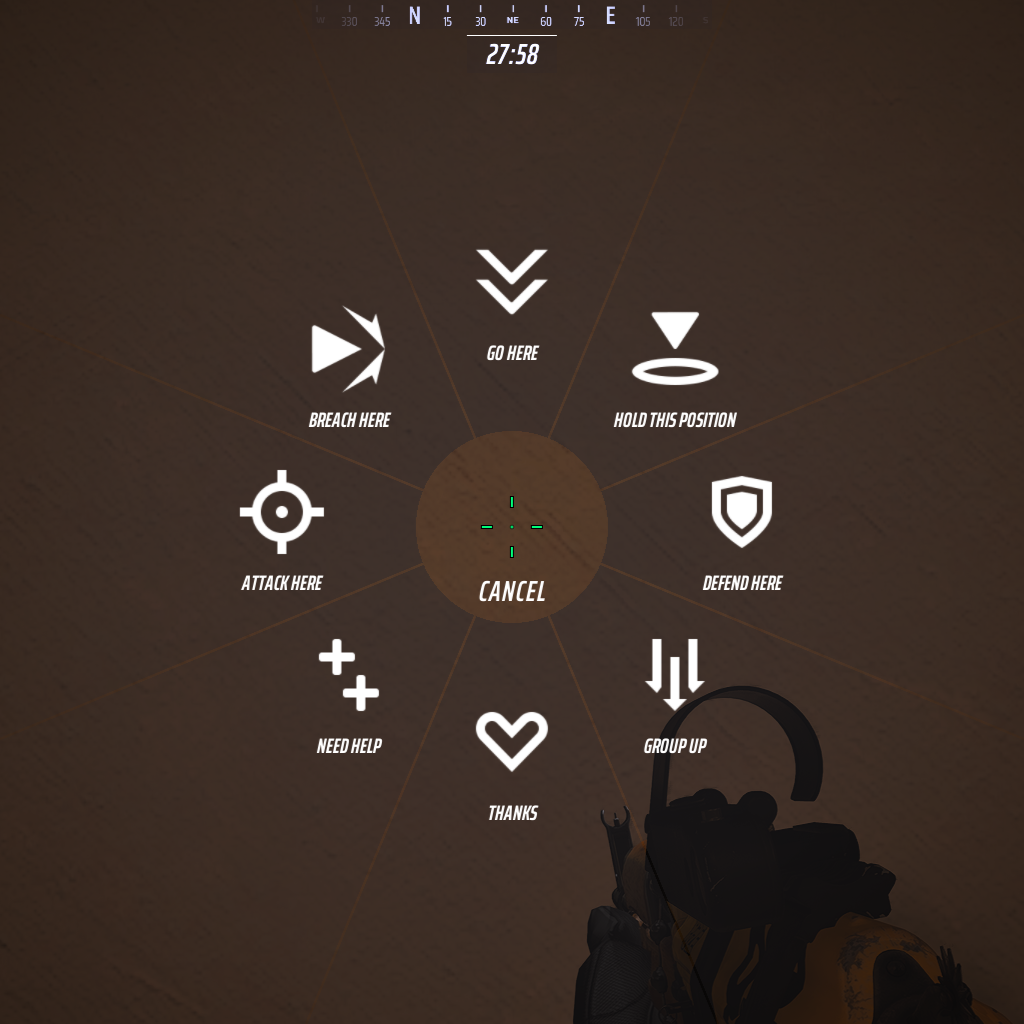
By holding the Ping keybind, contestants open the primary ping wheel. This wheel is typically used for core combat callouts, such as coordinating offense and defense, or asking for assistance.
This wheel is accessed using the following default keybinds:
- Mouse and Keyboard: Middle Mouse Button
- Controller: Left Directional Button
This wheel possesses the following options in a clockwise order, starting from the top:
- Go here
- This ping is identical to the basic ping, issued when pressing the Ping keybind once.
- Hold this position
- Defend here
- Group up
- Thanks
- Need help
- Attack here
- Breach here
Communication Wheel

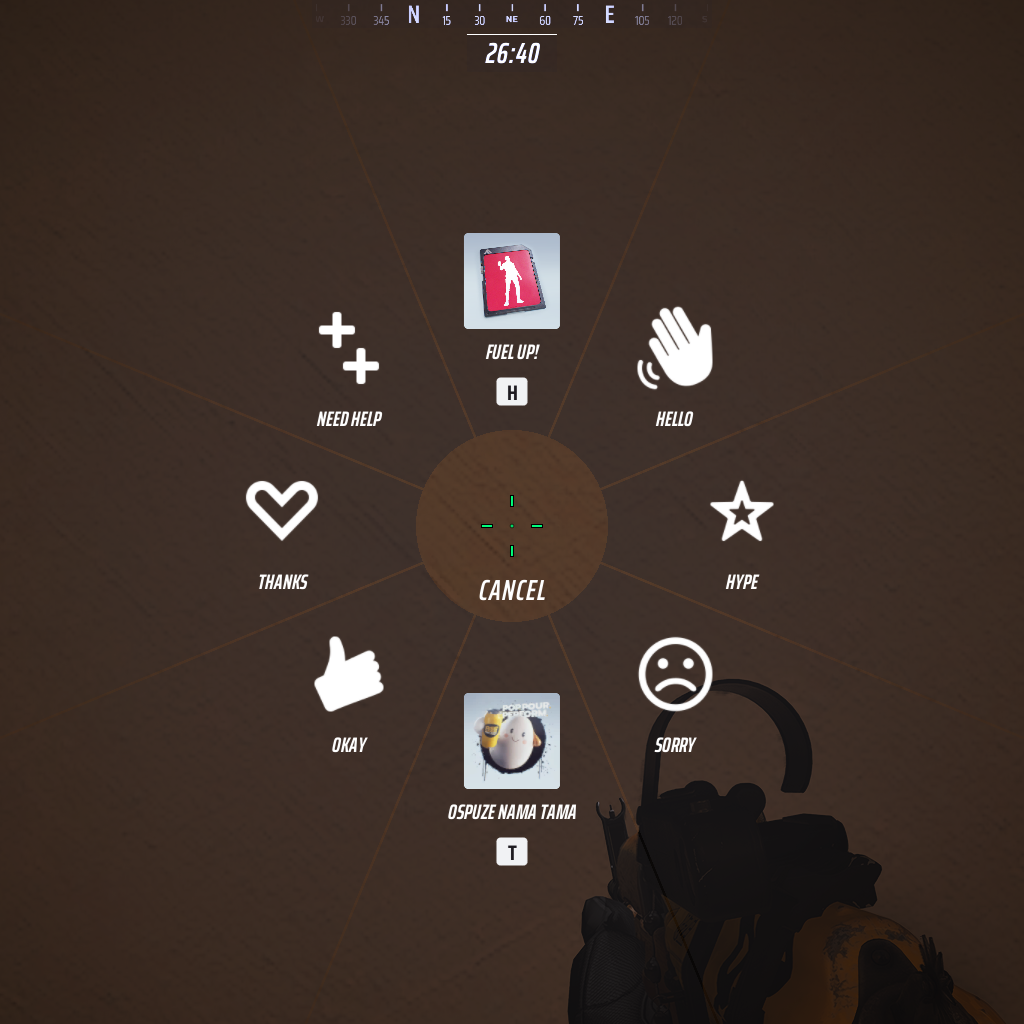
By holding the Communication Wheel keybind, contestants open a secondary wheel to issue alternative pings. The options in this wheel are primarily social in nature, although some callouts overlap with the primary ping wheel.
The top and bottom slots on the communication wheel are reserved for expressions. These slots do not open the full Expression wheels, but instead provide quick access to the currently selected expression from each category.
The top slot mirrors the primary selection from the Emote/Emoticon/Gesture expression wheel, while the bottom slot mirrors the primary selection from the Spray/Sound expression wheel.
This wheel is accessed using the following default keybinds:
- Mouse and Keyboard: B
- Controller: Up Directional Button
This wheel possesses the following options in a clockwise order, starting from the top:
- Emote/Emoticon/Gesture
- Activates the currently selected item from the Emote/Emoticon/Gesture expression wheel.
- Hello
- Hype
- Sorry
- Spray/Sound
- Activates the currently selected item from the Spray/Sound expression wheel.
- Okay
- Thanks
- Need help
Trivia
- Uniquely, in the Super Cashball limited-time mode, the Hold this position ping on the primary ping wheel was replaced with Pass! to better reflect the mode's gameplay.